Mitsubishi ASX Dashboard Symbols and Meanings: The Complete Driver-Friendly Guide
Mitsubishi ASX Dashboard Symbols and Meanings: The Complete Driver-Friendly Guide
Mitsubishi ASX dashboard symbols tell us when a system needs attention, a driving feature is operating or a condition requires a safe stop. The quickest way to understand a warning is to read the symbol together with its colour, flashing pattern and the message on the multi-information display. An oil-pressure warning, an ASC indicator and an AS&G status light require very different responses.
This illustrated guide explains common ASX warning lights and the practical next step for each one. We cover engine and brake warnings, CVT temperature, stability control, tyre pressure, diesel systems and the indicators used by everyday driving features. We also explain why clearing a warning without fixing its cause is rarely a useful repair.
Coverage: the original-generation Mitsubishi ASX, with the 2020 English owner’s manual as the main reference and earlier ASX documentation for diesel and selectable-4WD features. Equipment varies by country, production date and engine. This guide does not cover the later Renault-based ASX. Images combine ASX handbook graphics and representative standard symbols; the exact colour and display layout may differ from your vehicle.
Understanding ASX warning colours and display messages
Colour or behaviour
Typical meaning
What we should do
Red
Urgent condition or important safety reminder
Identify the warning immediately and stop safely when required.
Amber or yellow
Fault, disabled function or attention needed
Read the message and arrange the appropriate checks.
Green
Feature selected or operating
Confirm which function is active.
Blue
Main-beam headlights
Dip the lights when necessary.
Flashing
Intervention, an alert or a malfunction
Follow the instructions for that specific symbol.
The message is more important than a colour rule on its own. A red belt reminder asks us to buckle up; a lubrication warning requires us to protect the engine. Likewise, a flashing ASC indicator can show normal intervention, while a flashing or persistent engine-related warning may need diagnosis. Unusual noises, smoke, difficult steering or abnormal braking always matter.
Why several lamps illuminate before starting
When we switch on the ignition, several lamps appear as part of a normal check. They should then follow the sequence described in the handbook. The charging indication can remain before the engine starts, and a brake indicator can remain while the parking brake is applied.
Investigate lights that do not follow their expected check, stay on unexpectedly or appear during driving. Once parked safely, photograph the display and record whether each lamp is steady or flashing. A warning that disappears after restarting may still leave diagnostic information and should not be ignored if it returns.
Oil pressure, coolant and charging warnings
Engine oil pressure warning
Oil can — stop safely and switch off the engine.An oil-pressure warning means the engine may not be receiving adequate lubrication. It is not simply a service reminder or a measurement of how much oil remains. Continuing to run the engine can cause major damage.Stop safely and switch off. Check the level using the handbook procedure when safe, but remember that a normal level does not prove that pressure is adequate. If the cause remains unresolved, obtain assistance rather than driving on, repeatedly restarting or leaving the engine idling.
Engine coolant temperature warning
Thermometer and waves — engine overheating.Stop safely when the coolant-temperature warning appears. The ASX overheating procedure distinguishes between steam coming from the engine compartment and a hot engine without visible steam. When steam is present, switch off and keep the bonnet closed until it stops.Without steam, the handbook includes an engine-running cooling procedure. Follow the exact sequence for your vehicle and any other urgent warning. Never open a hot pressurised cap. If the cause is unclear, the warning persists or coolant is escaping, obtain assistance instead of continuing the journey.
Battery charging warning
Battery symbol — charging-system fault.This lamp normally appears with the ignition on and should go out after the engine starts. If it remains illuminated with the engine running, the charging system needs attention. It does not automatically mean the battery itself requires replacement.The ASX documentation calls for a safe stop and inspection when the charging warning appears during operation. The alternator, drive system or wiring may be involved. Do not assume the car can complete a long trip because it still runs on stored battery energy.
Engine, braking and steering warning lights
Check engine warning
Engine outline — emissions or engine-control fault.The check engine lamp is part of the diagnostic system that monitors emissions and engine-control functions. A persistent warning requires inspection, even when the ASX appears to drive normally. It does not identify a particular sensor or component by itself.Avoid high-speed or demanding driving with an unresolved warning. If the engine runs severely roughly, loses unsafe amounts of power or another urgent warning appears, stop safely. Keep diagnostic codes available for the workshop rather than erasing them before the cause has been investigated.
Brake system and parking-brake warning
Brake symbol — check parking brake and braking-system status.The lamp can illuminate normally when the parking brake is applied. If it stays on after release, appears during driving or accompanies a low-fluid message, the braking system needs attention. The covered ASX also uses it for certain brake-force-distribution faults.Stop safely when the warning remains unresolved, especially if the pedal feels abnormal. Do not assume adding brake fluid repairs the cause. A leak or another fault may compromise braking and requires diagnosis before we rely on the system again.
ABS warning
ABS — anti-lock braking malfunction.A persistent ABS warning indicates a fault in the anti-lock braking system. Ordinary braking may remain available when ABS is the only brake-related warning, but anti-lock intervention may not function during a hard stop. Allow extra space and arrange inspection.If the ABS and red brake warnings appear together, braking-force distribution may also be affected. Avoid abrupt inputs, stop safely and seek help. A normal-feeling gentle stop does not establish that the system will perform correctly during an emergency.
Electric power steering warning
Steering-system warning — assistance may be reduced.The EPS warning display indicates a problem with electric power steering. The steering wheel can become heavier, particularly at low speed. Maintain control and move to a safe location if steering becomes difficult.The handbook also describes situations in which repeated steering operation can temporarily reduce assistance to protect the system. A persistent warning still needs inspection. Do not assume that a light which clears after a rest has permanently resolved an electrical or mechanical problem.
Seat belts, airbags and doors
Airbag and SRS warning
Seated occupant and circle — restraint-system fault.A persistent SRS warning can concern airbags, seat-belt pretensioners or related restraint equipment. The car may drive normally while collision protection is impaired. Have the system checked if the light remains on or its startup check is abnormal.This is different from a passenger-airbag status display. Do not probe restraint wiring or disconnect seat connectors to remove the lamp. The purpose of diagnosis is to restore the protection system, not simply to make the warning disappear.
Seat-belt reminder
Seat belt — secure the indicated occupant.This reminder asks us to fasten a belt or check a seating position. Depending on equipment, front-seat occupancy and rear-seat belt states can affect the display. Everyone should be properly secured before the vehicle moves.An object on a passenger seat may trigger an occupancy-related reminder. Move luggage to an appropriate secured storage location. If the warning persists with the belt correctly fastened, arrange inspection rather than using a buckle insert that silences the warning without providing protection.
Door or tailgate open
Vehicle outline — a monitored opening is not closed.An open-door display indicates that a monitored door or tailgate is not properly closed. Read the screen to identify the location, then stop safely before checking it. A closure can look shut without its latch fully engaging.Close it correctly and confirm that the warning clears. Do not attempt to open and reclose a door while moving. A persistent indication may involve a latch or sensor, but first make sure the opening is physically secure.
CVT transmission warnings: temperature versus malfunction
The gearbox symbol can accompany different warnings. Read the message alongside it: an overheating instruction and a transmission-service warning require different responses.
CVT overheating warning
Transmission-temperature display — CVT fluid is too hot.On CVT-equipped models, this warning can appear when transmission fluid temperature becomes excessive. Engine speed and road speed may be reduced as the vehicle protects the transmission. Continued heavy loading can make the situation worse.The covered manual allows slowing down or stopping safely, selecting P and following its engine-running cooling procedure. Do not apply an engine-shutdown rule indiscriminately to this particular warning. However, another urgent fault may require shutdown. If the display remains or repeatedly returns, arrange immediate inspection.
CVT malfunction warning
Transmission fault display — diagnosis required.A separate CVT fault display can indicate an abnormal condition that activates a protective function. It is not the same as a normal gear-position indication or a request to change gear. The handbook calls for prompt inspection.Avoid repeatedly shifting between drive and reverse to test the fault. If the vehicle will not engage reliably, moves unexpectedly or cannot maintain a safe speed, stop and arrange assistance. A fluid top-up or warning reset is not a universal repair for transmission problems.
ASC and traction-control indicators
Active Stability Control indicator
Skidding vehicle — ASC intervention or system concern.The ASC indicator can flash when stability or traction control is working. Ease off the accelerator and adjust speed and steering to the available grip. The system is responding to a condition that calls for smoother driving.A persistent warning can indicate a malfunction or restricted function. Read any message and arrange inspection if the indication does not clear as expected. Electronic assistance cannot compensate for unsuitable tyres, excessive speed or a surface with very little grip.
ASC OFF indicator
Skidding vehicle with OFF — stability assistance disabled.This indication can confirm that ASC has been deliberately switched off. It is different from the flashing indicator that shows the system intervening. Check the switch setting and the message before deciding that the car has a fault.Restore the normal setting once a special low-traction situation has passed. If the OFF indication remains unexpectedly or appears with a system warning, seek diagnosis. Driving normally does not prove that all stabilising functions are available.
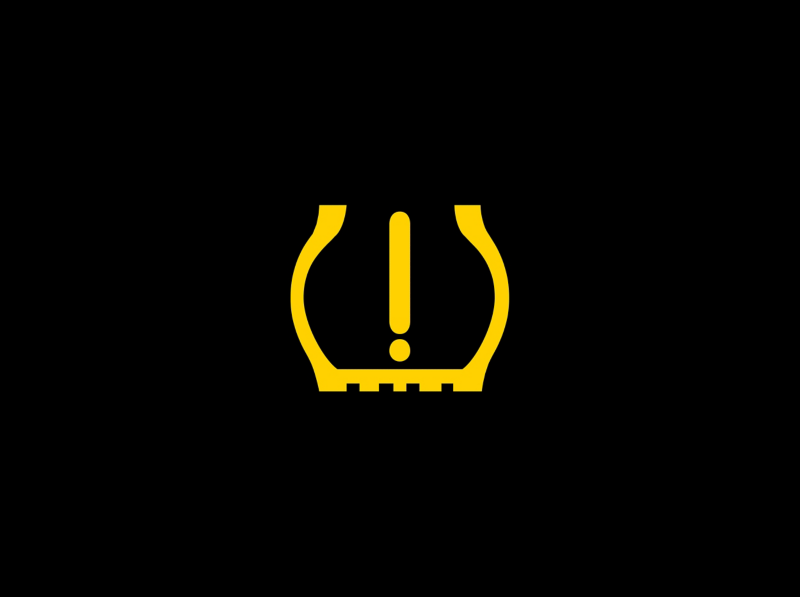
Tyre pressure warning
Tyre and exclamation mark — pressure loss or monitoring fault.Where tyre-pressure monitoring is fitted, stop safely and check for a puncture or visibly damaged tyre. Measure pressures with a gauge and use the specified cold pressures for the vehicle and load. The tyre sidewall maximum is not the normal target.A warning that flashes before remaining on can indicate a monitoring-system problem. Correct pressures and damage before following any reset or sensor-learning procedure. Clearing a warning does not repair a puncture, and not every ASX market has the same monitoring equipment.
Selectable 4WD indicators on equipped ASX models
4WD operating-mode display
4WD mode indication — confirm the selected drive setting.Some earlier ASX versions provide selectable 2WD, 4WD AUTO and 4WD LOCK operation. Their indicators normally describe a selected mode rather than a fault. Later front-wheel-drive versions do not have these features.Read the handbook for the exact selector and display. Do not confuse this road-oriented electronically controlled system with a traditional low-range transfer case. A mode name does not make difficult terrain safe or remove the need for suitable tyres and controlled speed.
4WD system warning
4WD warning display — system protection or fault.The illustrated 4WD service warning indicates a system problem and requires inspection. A blinking drive-mode indicator can instead mean the system has switched to front-wheel drive to protect its components. Reduce speed and follow the displayed instruction; continued wheelspin can increase heat.If the warning persists or returns, arrange inspection. Tyre specification, pressure and wear matter to the system, so investigate mismatches after tyre work. Do not assume that repeatedly selecting another mode will repair a fault or restore normal operation.
Auto Stop & Go symbols
AS&G automatic engine-stop indicator
AS&G — automatic stop/start status.AS&G is Mitsubishi’s Auto Stop & Go system. Its indicator can confirm that the engine has stopped automatically under suitable conditions. That normal temporary stop is different from an unexpected engine stall.The engine may restart automatically when conditions change. Use the proper shutdown procedure before leaving the driver’s seat or working near the engine. If a display requests a manual restart, follow that instruction rather than assuming the system will restart on its own.
AS&G OFF or malfunction indication
AS&G OFF — check whether the system is disabled or faulty.A steady OFF indication can relate to the system being switched off. Flashing or an associated fault message can indicate a malfunction, so read the exact display and check the handbook for its meaning.Battery condition, temperature and climate-control demands can prevent an automatic stop without proving a fault. Do not replace the battery solely because AS&G has temporarily stopped operating. A persistent malfunction requires diagnosis rather than repeated switching or resetting.
Diesel-only warning symbols on earlier ASX versions
Diesel preheat indicator
Coil — diesel glow plugs are preheating.On diesel models, the coil indicates glow-plug preparation before starting. Follow the starting procedure and wait for the indicator to go out when instructed. The time can vary with engine temperature and conditions.A normal brief appearance is not evidence that a repair is required. Unexpected persistent indications, difficult starting or additional engine warnings need investigation. These diesel instructions do not apply to petrol ASX versions simply because the vehicles share the same model name.
Diesel particulate filter warning
Filter graphic — particulate-filter soot loading or fault.Earlier diesel models use a DPF to trap particulate matter. A warning can indicate that soot has accumulated because normal cleaning has not completed. Follow the regeneration-driving instructions for the exact vehicle only when road and traffic conditions permit.If the warning remains after the prescribed procedure, obtain service. A DPF warning accompanied by the check engine lamp requires inspection rather than repeated cleaning attempts. Keep the hot exhaust away from grass, leaves and other combustible material; do not improvise stationary regeneration.
Fuel, key and maintenance information
Low fuel warning
Fuel pump — refuel as soon as practical.The low-fuel warning asks us to replenish the tank. The range estimate changes with conditions and driving style, so it should not be treated as a guaranteed distance. Hills, congestion and heavy loads can affect how quickly the reserve is used.Use the correct fuel for the engine. Avoid planning a journey around using the last possible litre, especially with a diesel that may need additional steps after running dry. A fuel-system fault message is different from a normal low-level reminder.
Remote key battery warning
Key-related message — check the remote battery.A low key-battery message means we should fit the specified battery type with the correct polarity. It differs from a key-not-detected warning or an immobiliser malfunction, although a weak battery can contribute to recognition problems.Use the vehicle’s emergency key-recognition procedure if starting is affected. Do not assume the backup location is identical across ASX generations. If a new battery does not resolve the issue, further diagnosis may be needed rather than repeated battery replacement.
Service reminder and the INFO display
The service reminder concerns scheduled inspection or maintenance. It should be reset only after the required work has been completed. It is not a repair for an active oil-pressure, engine, brake or restraint-system warning. Check the maintenance requirements for the exact vehicle rather than using another market’s interval.
The multi-information display can temporarily show a warning in place of the usual trip information. A return or information-control cue may explain how to move between screens. Changing the screen or acknowledging a message does not correct the condition that triggered it. Read and record the warning before dismissing it.
Normal lighting indicators
High-beam headlights
Blue headlamp — main beams illuminated.This indicator confirms that the main beams or headlamp flasher are operating. It is normal status information. Dip the lights when they could dazzle approaching traffic or drivers ahead.If the symbol appears unexpectedly, check the stalk and any automatic lighting settings. A main-beam indicator differs from an automatic high-beam-assistance status. The driver must still choose appropriate lighting when a system’s detection is limited.
Front fog lights
Front fog-lamp symbol — front fog lights on.This light confirms that the front fog lamps are operating where fitted. It does not indicate a mechanical fault. Use fog lighting when appropriate for the conditions and local requirements.Do not confuse the front fog indication with the rear fog symbol. Turn unnecessary fog lights off when visibility improves. If the lights do not operate as expected, inspect the exterior lamps safely rather than assuming the dashboard indicator proves every bulb is working.
Rear fog light
Rear fog-lamp symbol — rear fog light on.The rear fog indicator normally appears when the rear fog lamp is selected. Its amber colour does not automatically mean a fault. The rear lamp makes the vehicle easier to see in poor visibility.Turn it off when visibility improves because it can be distracting to drivers behind. The symbol points in the opposite direction from the front fog indication. Check the actual lighting controls if we are unsure which fog function has been selected.
Position lamps
Opposing lamp symbol — position lamps selected.This indicator shows the position-lamp lighting state. It should not be used as the only check that the correct headlights are operating for darkness or poor visibility. Confirm the switch setting and actual exterior illumination.Daytime running lights and a bright instrument panel do not necessarily mean the full nighttime lighting arrangement is on. If automatic selection is unsuitable, choose the correct manual setting. A selected lamp function and a failed exterior bulb are separate matters.
Direction indicators and hazards
Flashing arrows — turn signals or hazard operation.The arrows flash with the selected direction signal or with the hazards. Confirm that the indication matches the intended manoeuvre and that the signal cancels afterwards. An abnormal flash rate can call for an exterior-lamp check.Hazards can warn others of a breakdown, but they do not make an unsafe place suitable for stopping. Move clear of traffic when possible before inspecting the car. A flashing direction indicator is normal operation and should not be confused with a flashing engine or stability warning.
FCM, LDW, BSW and other assistance messages
Equipped ASX versions may have Forward Collision Mitigation, Lane Departure Warning and Blind Spot Warning. Their displays can identify a disabled system, temporary detection limits or a malfunction. A warning that assistance is unavailable differs from an urgent collision alert asking us to react.
Read the message and continue controlling braking independently.
LDW unavailable or fault
Check conditions and camera visibility; keep monitoring the lane ourselves.
BSW sensor limitation
Check relevant sensor areas when parked and use mirrors and direct checks.
Automatic High Beam limitation
Select appropriate beams manually when detection is unsuitable.
Dirt, ice, weather or poor markings can limit assistance, but cleaning cannot repair every fault. Follow the handbook’s sensor-cleaning guidance and obtain inspection when warnings persist. An available system is still an aid: it does not guarantee collision avoidance, lane control or a clear adjacent lane.
What to do when several ASX warning lights appear together
Begin with the warning that most affects safe operation. Oil pressure, overheating and abnormal braking take priority over a disabled convenience feature. One underlying fault may affect several related systems, so multiple lights do not mean that every named component must be replaced.
Maintain control and stop safely when the message or symptoms require it.
Record the exact wording and which lights are flashing.
Note recent tyre work, fluid additions, repairs or starting problems.
Perform only checks that are safe and appropriate to the warning.
Arrange diagnosis or recovery for an unresolved serious fault.
Avoid clearing codes before they have been recorded. Disconnecting the battery can remove useful evidence without fixing the problem. An intermittent warning still deserves investigation when it repeatedly returns or accompanies reduced power, unusual steering or poor braking.
Conclusion
Mitsubishi ASX dashboard symbols make more sense when we separate normal status displays from faults. Distinguish oil pressure from a service reminder, CVT temperature from a transmission malfunction, and active ASC intervention from ASC OFF. Match the message to the correct engine and equipment, follow urgent instructions promptly and correct the cause before attempting a reset.
Frequently asked questions
1. Can we keep driving with an amber ASX warning light?
It depends on the symbol, message and symptoms. Some warnings permit cautious travel for inspection; others require a specific check first. Colour alone is not permission to continue, especially with abnormal braking, serious power loss or an overheating message.
2. What does a flashing ASC light mean?
It commonly indicates that stability or traction control is intervening. Ease off the accelerator and adapt to the available grip. A steady warning, an unexpected OFF indication or a fault message needs a separate check.
3. What should we do if the ASX CVT overheats?
Reduce load and follow the handbook’s cooling procedure. On the covered model, this can involve stopping safely, selecting P and keeping the engine running for cooling. Another urgent warning may require different action. Persistent or recurring transmission warnings need immediate inspection.
4. Why does Auto Stop & Go sometimes not stop the engine?
Battery condition, engine temperature, cabin demands and other operating requirements can prevent an automatic stop. That alone does not prove a fault. Check whether AS&G is deliberately off or whether a flashing indicator or message reports a malfunction.
5. How do we reset Mitsubishi ASX warning lights?
Correct the underlying condition first. Some lights clear when normal operation returns; others need a specific procedure after servicing or a diagnostic repair. A service reminder reset does not repair an engine, brake, airbag or transmission fault.













 Mitsubishi ASX Low Washer Fluid Reset: The Complete Practical Guide
Leave a Reply